Infrastructure

Your whole network, pulled into one live view.

Gravity monitors the quality of your network, servers and IT services, ships config changes safely and keeps you compliant. With Gravity AI and sensor integration, you see services the way your users do, find root causes in seconds and get improvements suggested for you. A UI you will enjoy, licensing that makes sense.

Product

Built by engineers with UX passion, for the way you work.

Gravity finally brings together real functionality, an intuitive interface and a great user experience. You will find yourself using all of it.

Watch your network live

See IT service quality and infrastructure health the way your users do. With telemetry and Gravity sensors you explore traffic and quality across the network. Use gNMI streaming and NETCONF, with classic SSH and SNMP where devices need them.

What is observability? →
Config backup and drift

Change configs, version them and keep their backups safe. Passwords are masked on site and never leave your environment. Keep every version, spot drift from the baseline and roll back when you need to.

Safe changes

Draft, approve, run. Jobs are signed, checked for drift, applied with commit confirmed, verified, and rolled back on failure.

Real, live topology

Discover or define your topology. Organise the network in a hierarchy from region to site to each device. Real links, live blocks, movable racks, intuitive diagrams.

Compliance and auditing

Compliance with regulations such as NIS2 and with your reference configuration standard. Configuration consistency, kept in check automatically.

Assistant and AIOps

Ask about your network in your own words. The assistant reads your infrastructure data, diagnoses, correlates and recommends. You ask it to draft a change, and all you do is approve.

What is AIOps? →

PreviewFrom a regional map down to a single port. From physical topology through Layer 2 and Layer 3 to Wi-Fi visualisation. AI Assistant questions, changes and vendor independence in one interface. Finally possible.

Gravity sensors

Measure the network where people work.

Gravity Sensor

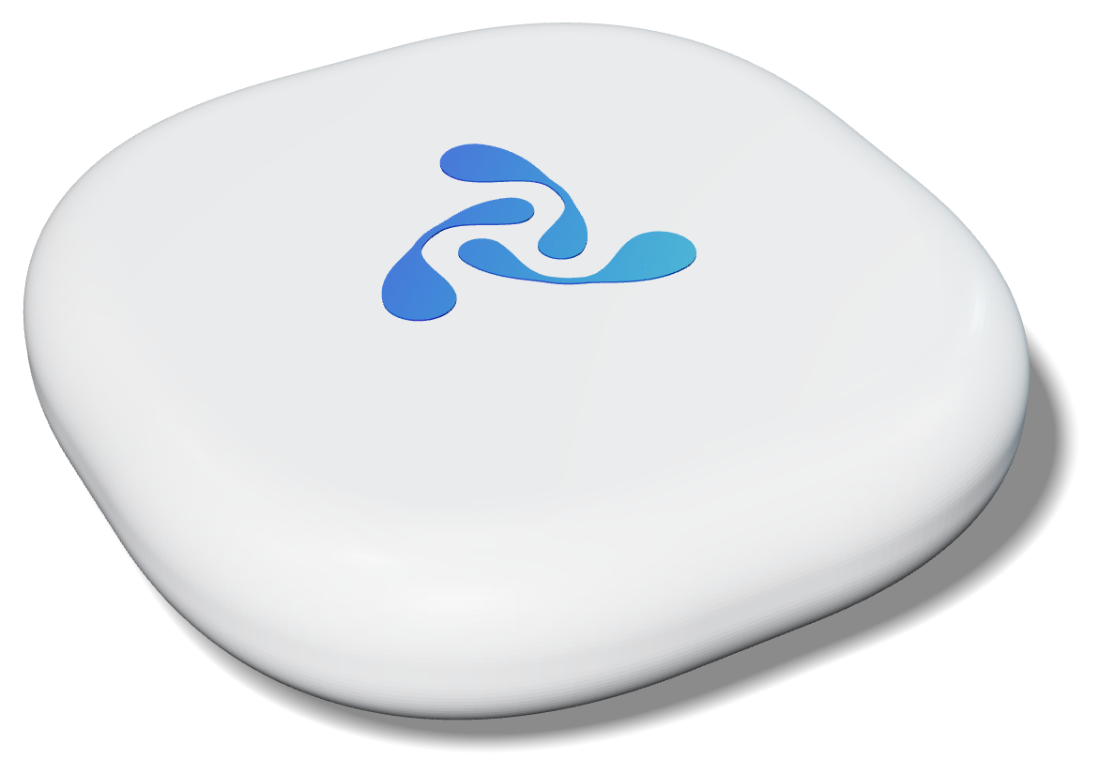
Sensors that act like a user. At last you measure service quality, not pings to switches. Put one on a desk, in a meeting room or at a branch office, and it checks Wi-Fi quality, latency, DNS health and applications on its own. You see where users have a worse experience before they call with a problem.

Gravity Sensor: a soft, rounded white case with the flat Gravity mark

No hardware? A virtual sensor or a light agent on a Windows, macOS or Linux computer runs the same measurements.

How it works

Deployed in minutes, not weeks.

01 · DOWNLOAD

Download Gravity

Pick the image for your environment (e.g. .OVA) and download the file.

02 · INSTALL

Install on your side

Start the VM in your virtualisation platform. Everything is generated on first boot.

03 · IMPORT

Import and go

Load your network from a file or add devices, enter credentials and take control.

Done!

Pricing

Simple, scaled to your size. No hidden limits.

Pay yearly, with updates and support included. The price follows your device count, with no per-user fees. The AI assistant with a limit is included; the AI Add-on gives more.

Lab

Testing, labs and evaluation

Evaluation
up to 10 devices · for 1 month
  • All-in-one VM
  • Every released feature
  • Live telemetry
  • Device changes
  • Config backup
  • Gravity AI assistant
Get notified

Enterprise

More than 1,000 devices, many sites

Custom quote
matched to your scale and support
  • Everything in Professional
  • 24/7 vendor support
  • Distributed collectors and HA
  • Networks over 1,000 devices
  • Extended AI query pools
Contact us

Indicative prices, net, in EUR, excluding VAT. Final prices at launch.

FAQ

Common questions about Gravity.

What is Gravity?

Gravity is an Observability and AIOps platform for IT infrastructure, network and server monitoring, configuration backup and safe changes on switches, routers and firewalls, independent of device vendors. It shows the health of network devices, physical servers and virtual machines live, versions your configuration, and proposes and prepares changes for approval. It also keeps configurations compliant with your standards, for example for NIS2 reporting. It runs on-premises or as SaaS.

How does Gravity monitor network devices?

With telemetry and sensors, Gravity tracks traffic, devices and service quality across your network. It uses technologies and protocols such as gNMI streaming, NETCONF and SNMP, and also SSH or ICMP where a scenario needs them. Physical servers are read over Redfish (iLO, iDRAC, XCC), and virtual machines from their hypervisors. Traffic, errors, availability, load and events appear on screen within seconds.

How does configuration backup for switches and routers work?

Gravity collects the running configuration of every device automatically, masks secrets on site and keeps every version. You see the differences between versions and any drift from the agreed standard.

Does data from my network go to the cloud?

No. Gravity runs on-premises: you install Core and the collector yourself. If you prefer the SaaS option in the cloud, the collector connects out to SaaS over TCP 443 with mTLS, so you open no inbound ports.

Does Gravity help with NIS2 requirements?

It helps you collect the evidence auditors ask for: every network change has an audit trail (who, what, when and who approved it), configurations are versioned, and checks, for example of hardening or the protocols in use, show deviations from your standards. Gravity has a built-in Compliance module where you define your practices and standards, and it checks compliance regularly.

How large a network is Gravity for?

Thanks to its architecture, Gravity can manage networks from a few dozen to more than 10,000 devices. The compact edition needs just one VM appliance; the Enterprise edition uses distributed collectors and a central engine.

What is the difference between network monitoring and observability?

Monitoring tells you something stopped working. Observability lets you ask why, because it connects metrics, configurations, changes and topology. Gravity keeps that data in one place, and its AI assistant answers questions about the network in plain words and drafts changes that a person approves.

How is Gravity different from PRTG, Zabbix or SolarWinds?

Gravity brings real-time monitoring, inventory, live diagrams, compliance, configuration backup and drift, and changes together in one tool, independent of device vendors. It was built natively for AIOps: your IT team uses natural language to diagnose the network and build configuration changes. Gravity pairs today's technology with the user experience network teams have needed for years and other systems never delivered. Fair comparisons with sources are in Comparisons.

When does Gravity launch?

In 2027. Join the launch list and we will send the premiere date and early access to the Lab edition.

Release premiere · 2027

Be first on the network when Gravity launches.

Get the release date, an invitation to the premiere and early access to the Lab edition. One email when it matters, no spam.

—days
—hours
—minutes
You're on the list. We'll write when the premiere date is set.

Your data is controlled by Grandmetric. We use your e-mail only for news about the Gravity launch and delete it when you unsubscribe, at the latest 6 months after the launch. Details in the privacy policy.

Blog

Notes from the build.

Contact

Let's talk about your network.

DemoSee it liveA walk through the product on a lab network.
PilotJoin the early pilotRun Gravity on your own network before the launch.
PartnersIntegrators and resellersBring Gravity to your customers.
Thanks, we'll get back to you within one business day.

Your data is controlled by Grandmetric. We use what you send only to answer your message and delete it 12 months after our last contact. Details in the privacy policy.